After a discussion over coffee I remembered that the setup to get our IP Camera was never documented - so here goes!
Requirements
Needed an IP Camera, to monitor our driveway; with live feed and also motion detection of people. Some degree of nighttime vision as well.
Importantly - I wanted this to remain within my local network. Did not want any network connection to an other cloud. Let’s keep this all ‘in-house’ (literally)
Hardware Choices
I took advice from somebody who had already got a number of cameras and who I suspected would have similar requirements. They suggested to me the Synology Surveillance Station and the HikVision range of cameras. Put IP Camera into your favorite online store and there are 000s. Somehow though I found the Anpviz 4k POE 8MP IP Camera with 30M IR Night vision, 110 degree field of view, Motion detection and IP66
This looks identical to the HikVision models. On arrvial I can confirm it is a solid piece of kit. Good aluminum body, good range of adjustment of the camera, and easy to install. Based on my installation location running power and ethernet (cable not wifi) was straightforward. PoE would have also been possible without issue.
Camera works well, quality is very good; night visions is ok; if anything the ir LEDs are bit too bright. So they tend to really well illuminate the foreground but then drop off. Due to the contrast range the distance is darker than I would ideally like.
Software
Already having a Synology NAS, Surveillance Station was the first choice and is still in use. Does it’s job and it works (up to a point), has a mobile app so you can get alerts will any wrong-doer comes onto the drive. Suspect it could easily handle more cameras, though my NAS is a several years old so would expect with a lot of 4K cameras it would start to struggle.
Seems to happily store the recordings archived for a set period. All good.
One reason to get a recommendation of the camera and software was to ensure that they all worked together.
“Up-to-a Point?”
One requirement was to do motion detection. Surveillance Station comes with motion detection, together with the ability to block out areas (eg windows) and only detect people in a certain range. I appreciate that the location of the camera and the image is giving the AI a hard time. How to detect somebody on the drive and differentiate from somebody just walking past. Is the person on our drive, or the one across the street.
Not that it made much difference as the Surveillance Station human detection, didn’t detect anything really; could be processing power as sometimes an alert would come 30 seconds afterwards.
I decided to swap onto the camera’s inbuilt motion detection; looking at the camera view directly this seemed to be a lot more accurate in spotting people promptly with the downside of more false positives (people across the road).
Protocols
Worth mentioning at this point that initially I’d configured the camera as being a HikVision - and this worked apart from now when I wanted to use the cameras auto-detection. So after much investigation I found that there are a number of standards.
- ONVIF the open standard for ‘effective interoperability of IP-based security products’.
- RTSP the realtime streaming protocol for the video
So I was therefore able to configure the camera to use ONVIF together with it’s RTSP video feed. ONVIF also supports events from the camera that can be connected to trigger recording etc. Surveillance Station has a good set of options for different types of events. However; whilst the RTSP worked, and information came from the camera, the events didn’t.
ONVIF
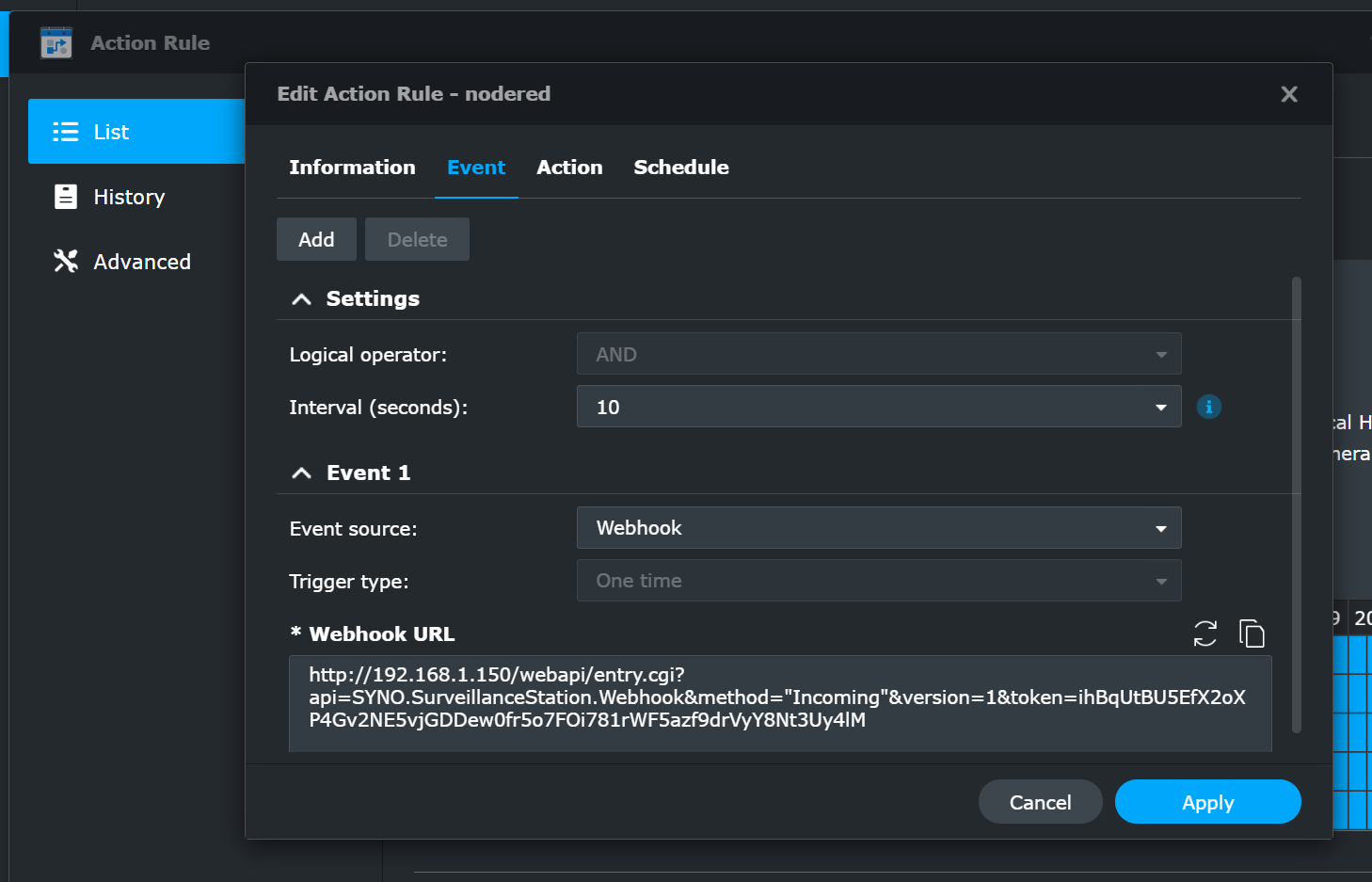
Turns out the ONVIF protocol is XML based, and I found there are number of libraries available for parsing it, so I was able therefore to capture these events quite happily. They could be easily processed and sent to the Surveillance Station to act as a the trigger. Webhooks are supported as part of the Surveillance Station actions configuration.
Overall flow then is - Camera is streaming video via RSTP to the Surveillance Station - Separate Node.js process waiting for ONVIF events (see below for how this happens) - These can be processed and sent via a webhook to the Surveillance Station to record a fixed amount of time. It also adds an ‘event’ to it’s database so it’s easy to locate.
Implementation.
Synology Configuration (camera)
Configuration is shown here, note the ONVIF configuration and also the RTSP link for the video. There are various options in the camera configuration you could use to configure quality if needed for storage/processing restrictions.
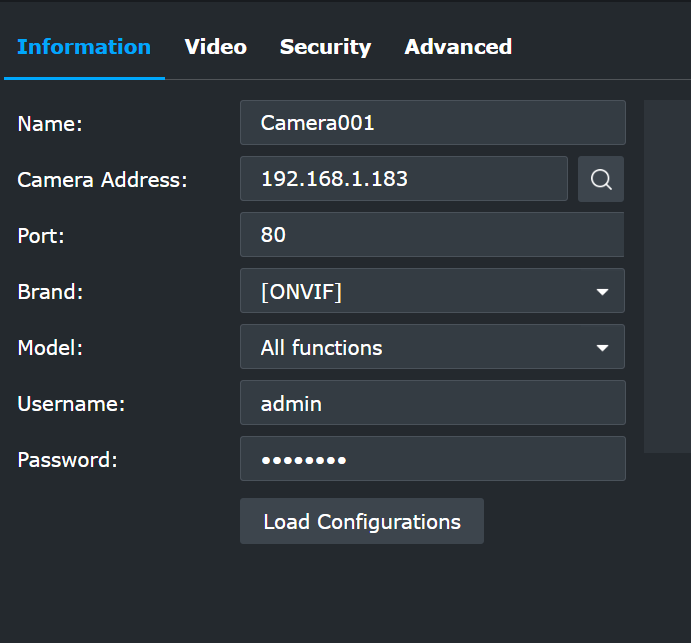
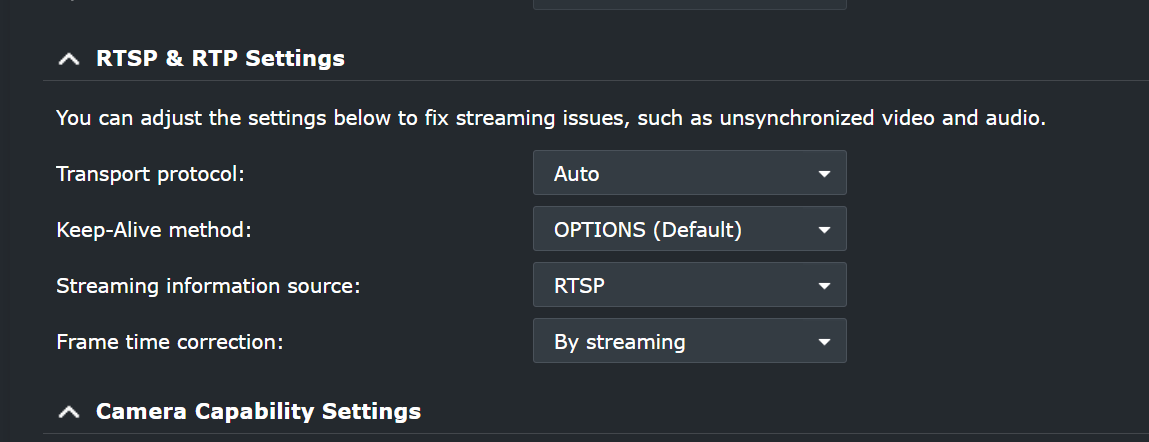
That gets the video connected
ONVIF Events
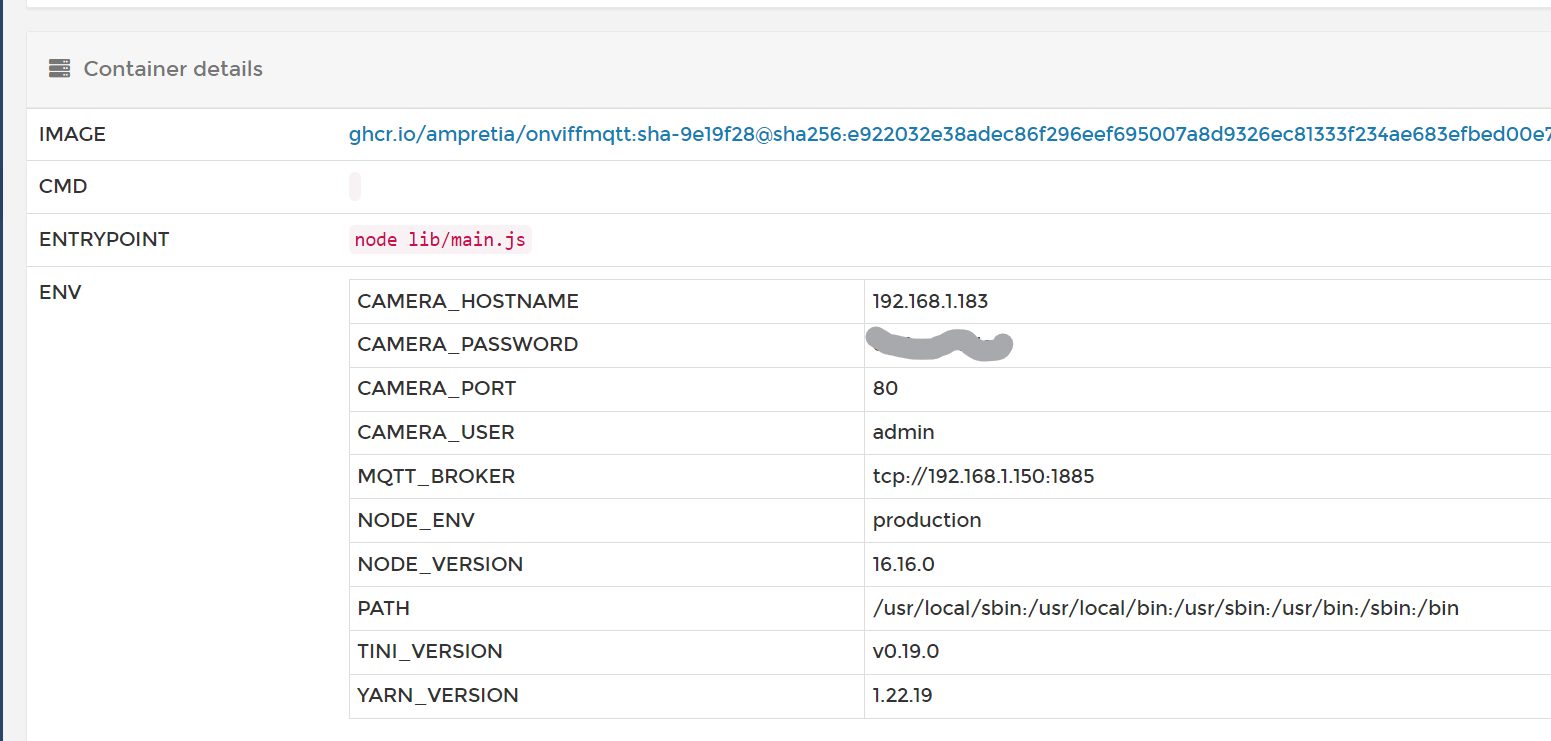
To process the events I decided to write a short Typescript application to process data via one of the already available libraries. Then publish it via MQTT. Why not direct to a websocket? I was thinking of also connecting up other (physical) alerts that could easily connected via MQTT subscribes.
I won’t describe the application here; I’ve documented it in the onvif-mqtt github repo.
This is all running via Portainer on a Odroid C4
Node-RED
So as I choose not to implemented the direct to websocket connection in the application, setting this up was the last piece. This was (naturally) done via the NodeRED instance running in the same Portainer instance on the OdroidC4
Aside: Mosquitto is running as the MQTT broker on the Synology as well. Network traffic from the Camera to the OdroidC4 back to the synology via MQTT, back to NodeRED](https://nodered.org/) on the OdroidC4, back to the Synology Surveillance Station.
The overall flow looks like this:
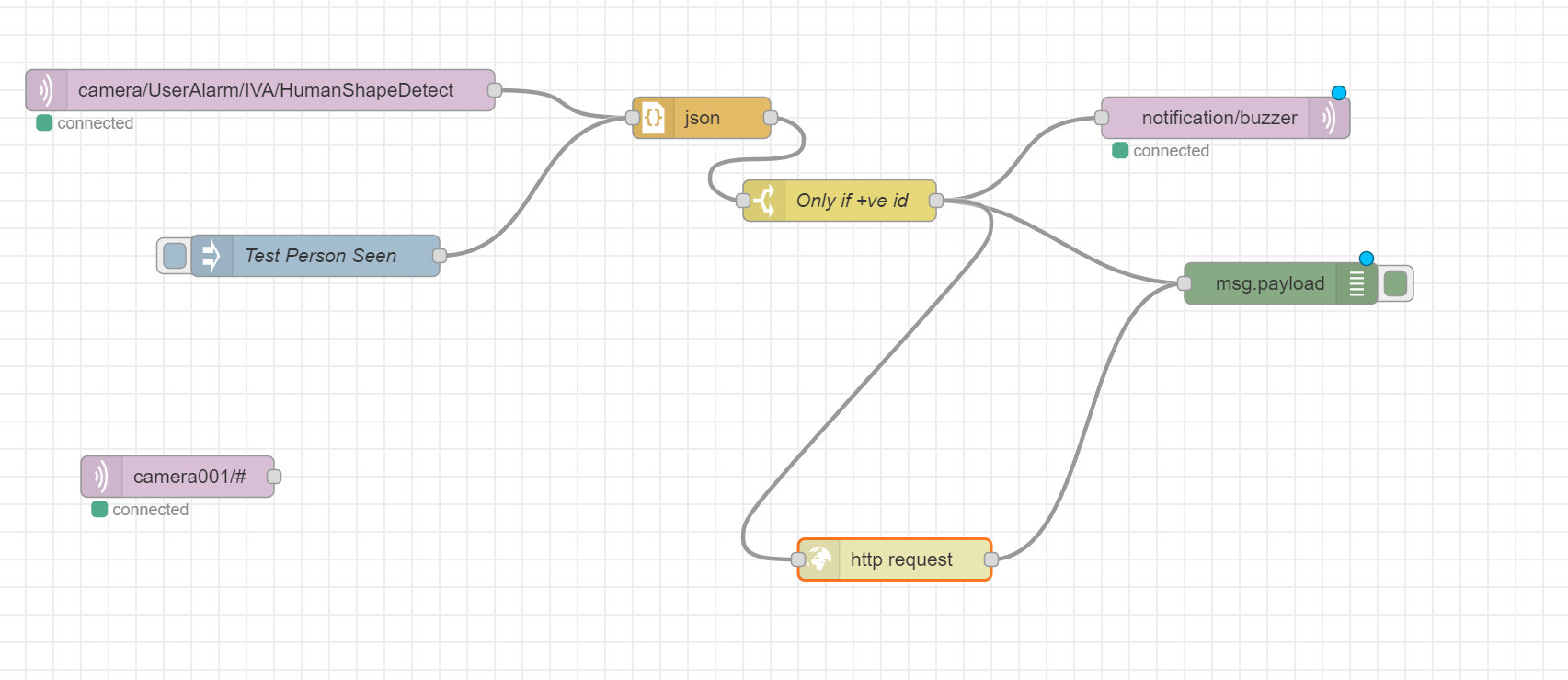
In the Surveillance Station the action when configured will give you the webhook URL for use in the NodeRED flow.
Summary
So long as the camera has ONVIF and RTSP support it should be able to connect happily. The person detection thought isn’t as good as I would like. There are alternatives that I could use, and one specific one has been recommended though I’ve not tried it yet.
ONVIF events didn’t quite work - but do via some software. I had to go back and check configuration before writing this as it’s been working for several months without issue.